HƯỚNG DẪN CẤU HÌNH QOS TRÊN MIKROTIK
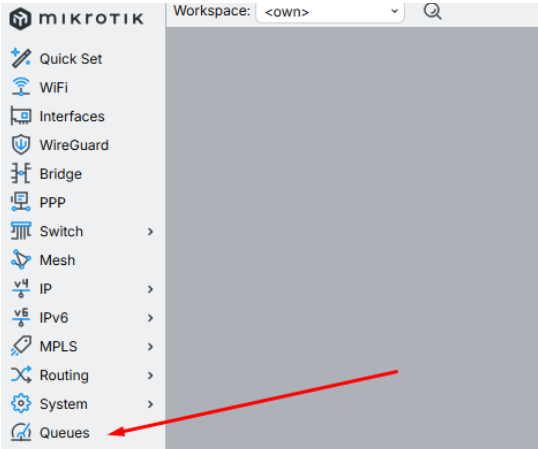
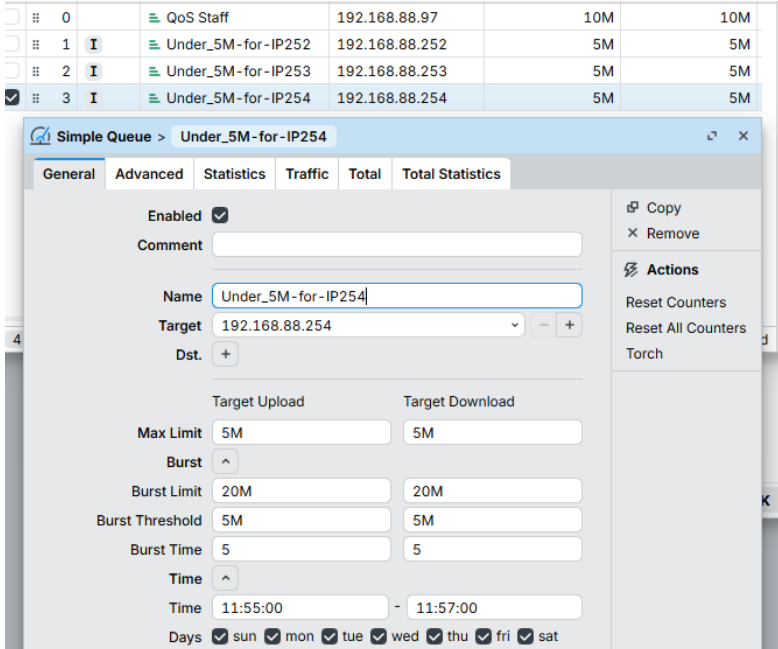
Tại tab Simple Queues, nhấn “New”. Cấu hình tại thẻ General:
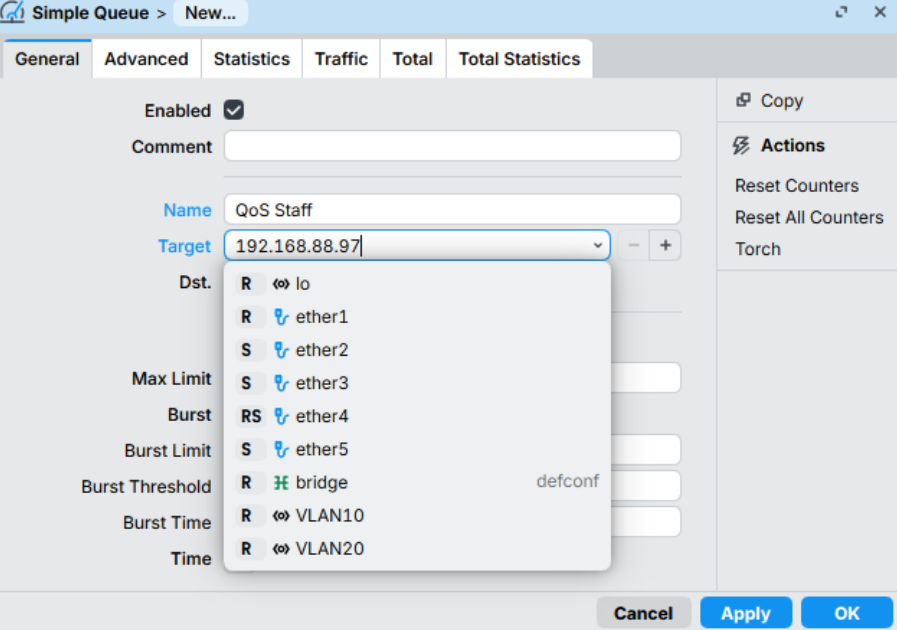
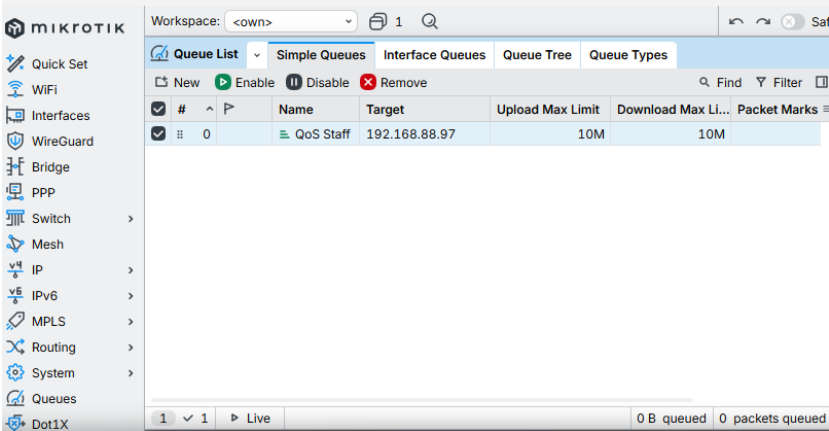
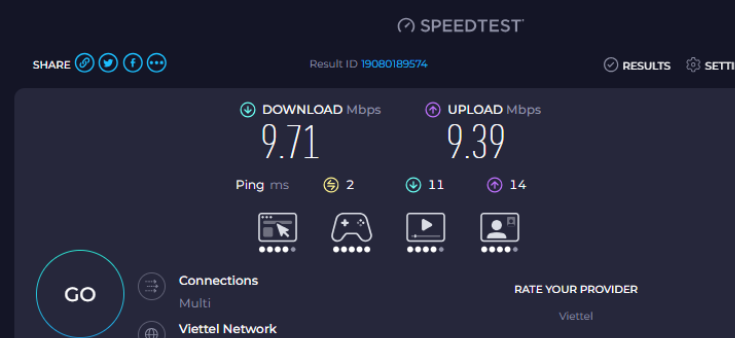
Burst giúp người dùng cảm thấy mạng rất nhanh khi vừa mới truy cập (ví dụ: mở trang báo, tải ảnh), nhưng sau đó sẽ tự động bóp lại.
b) Thiết lập theo Thời gian (Time)
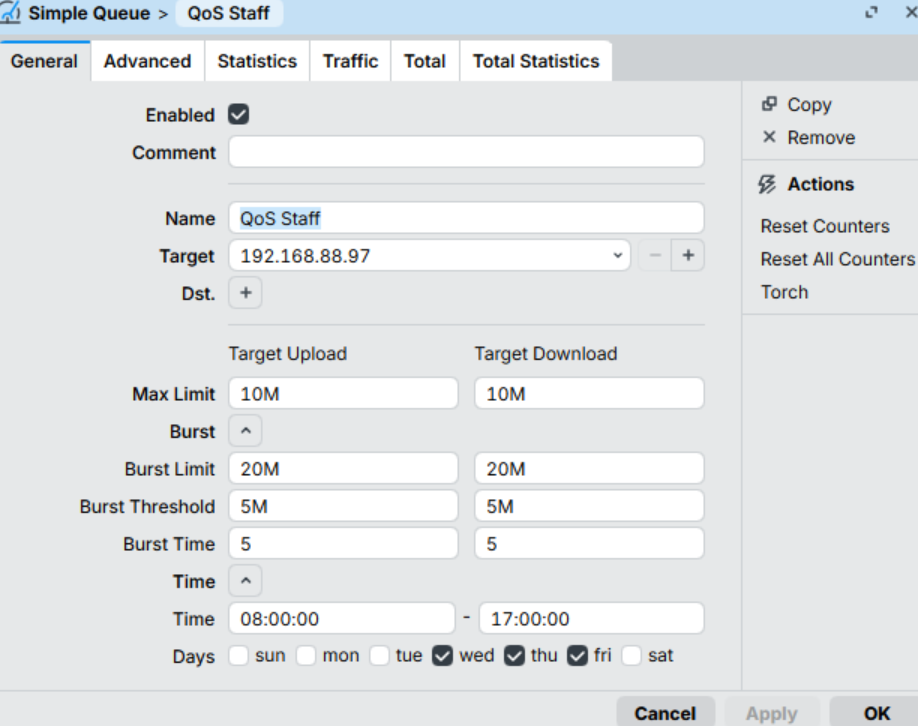
Kịch bản diễn ra:
3. Tạo nhiều QoS bằng dòng lệnh
Trong nhiều trường hợp cần tạo nhiều QoS, bạn có thể sử dụng CLI để tạo nhanh hơn
Ví dụ: Giới hạn download/upload 5M từ ip 192.168.88.252 - 192.168.88.254 (tùy vào nhu cầu thực tế, thay thông số cho phù hợp)
:for x from 252 to 254 do={/queue simple add name="Under_5M-for-IP$x" max-limit=5M/5M target="192.168.88.$x"}
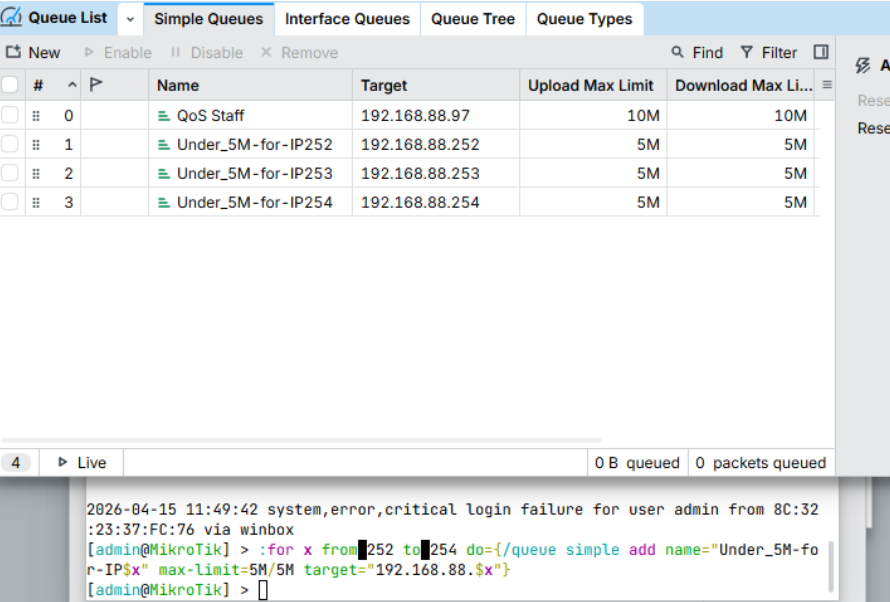
//Câu lệnh giống như trên nhưng thêm phần “Burst” và “Time”
:for x from 252 to 254 do={/queue simple add name="Under_5M-for-IP$x" max-limit=5M/5M target="192.168.88.$x" burst-limit=20M/20M burst-threshold=5M/5M burst-time=5/5 time=11h55m-11h57m,mon,tue,wed,thu,fri,sat,sun}
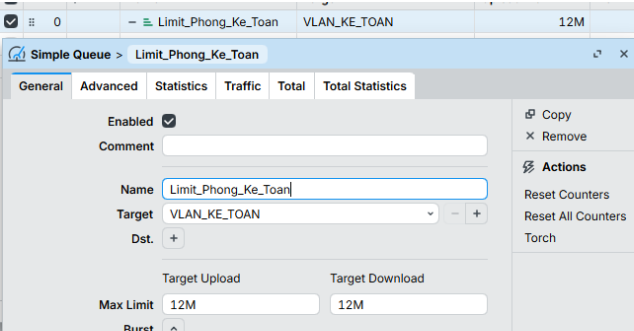
Cấu trúc này giúp bạn quản lý băng thông theo từng phòng ban (VLAN) và chi tiết đến từng nhân viên, đảm bảo sự công bằng và ưu tiên đúng đối tượng.
Trong MikroTik, cấu hình phân cấp không chỉ là để giới hạn băng thông, mà là để phân phối tài nguyên thông minh.
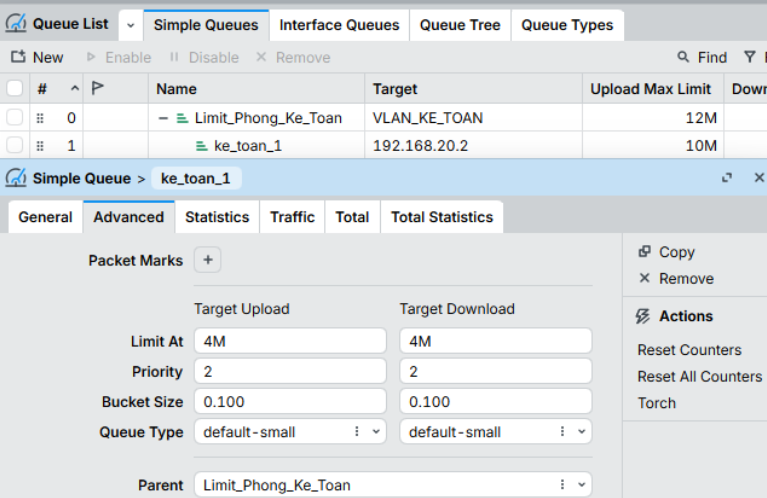
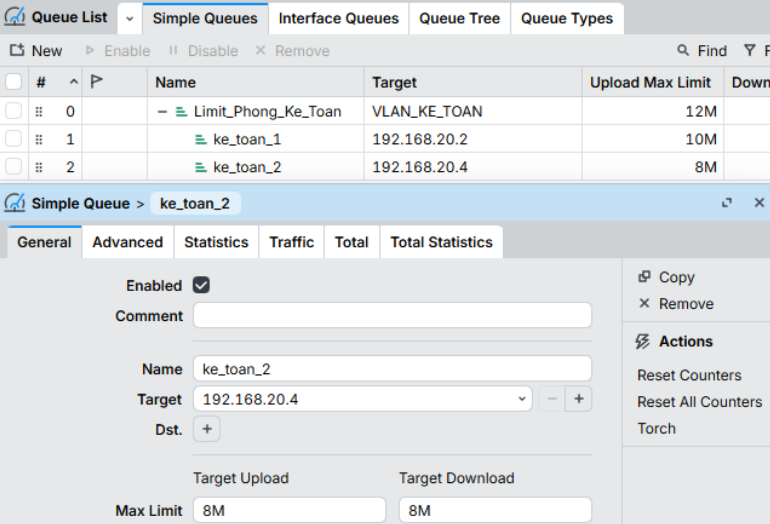
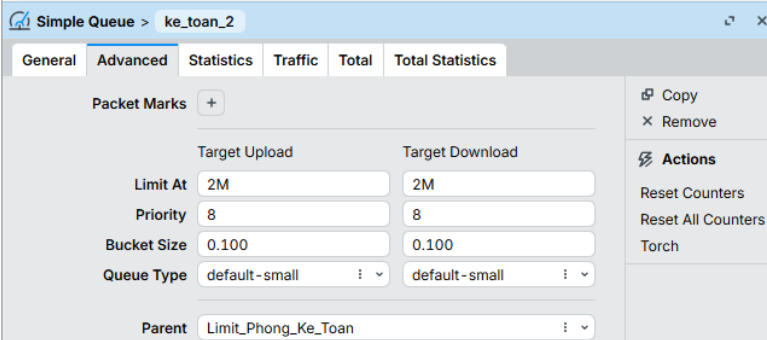
1. Giải thích ý nghĩa thông số
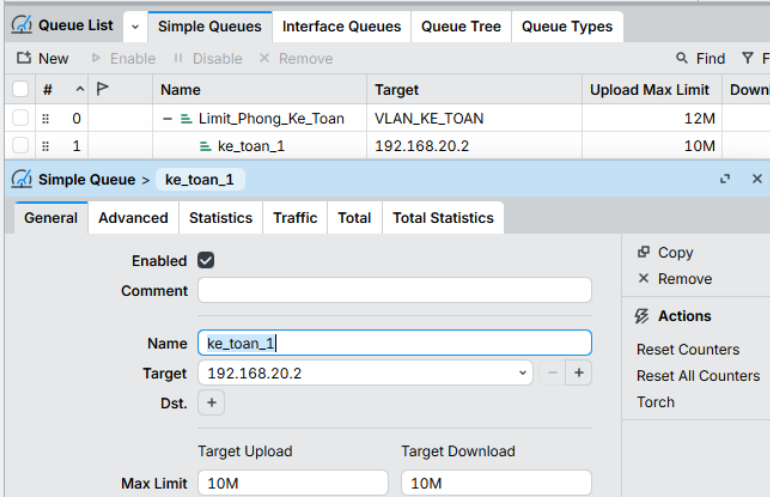
Giả sử tổng băng thông của phòng Kế Toán (Parent) là 12M. Chúng ta có 2 nhân viên:
Vì một trang web có thể thay đổi IP hoặc có nhiều IP, cách tốt nhất là để MikroTik tự động cập nhật IP của trang web đó vào một danh sách (ở đây mình sẽ lấy web wifi.com.vn làm ví dụ)
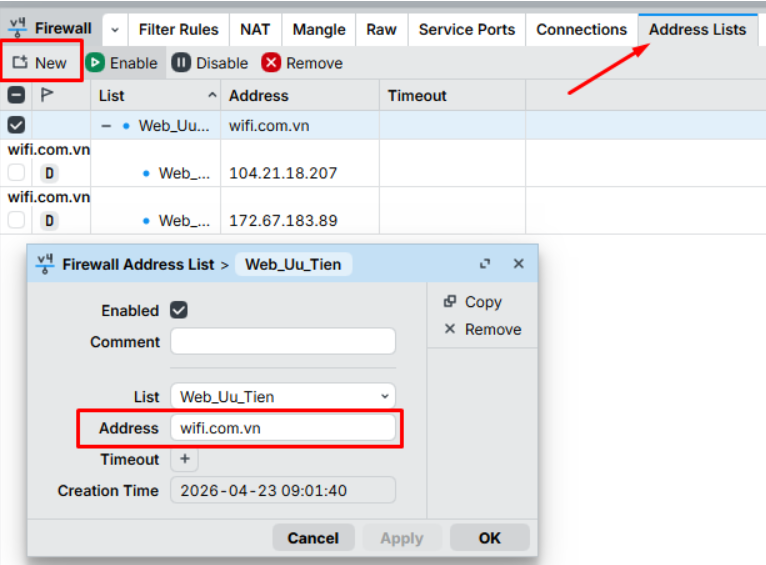
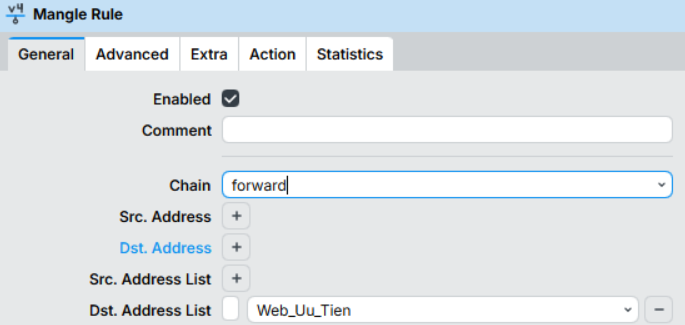
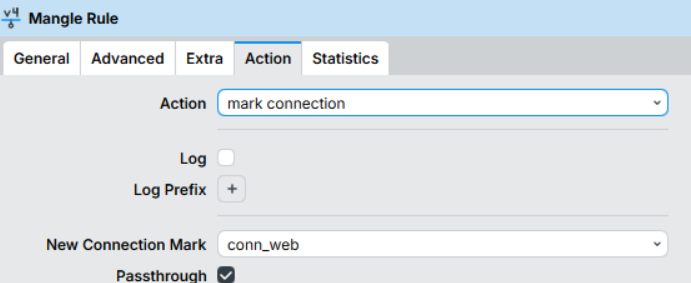
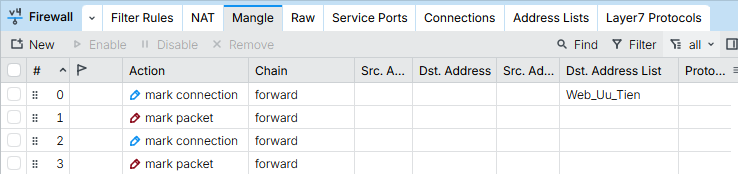
2.1. Dán nhãn Web ưu tiên (Connection -> Packet)
Chain: forward | Dst. Address List: Web_Uu_Tien
Action: mark-connection | New Connection Mark: conn_web | Passthrough: Yes.
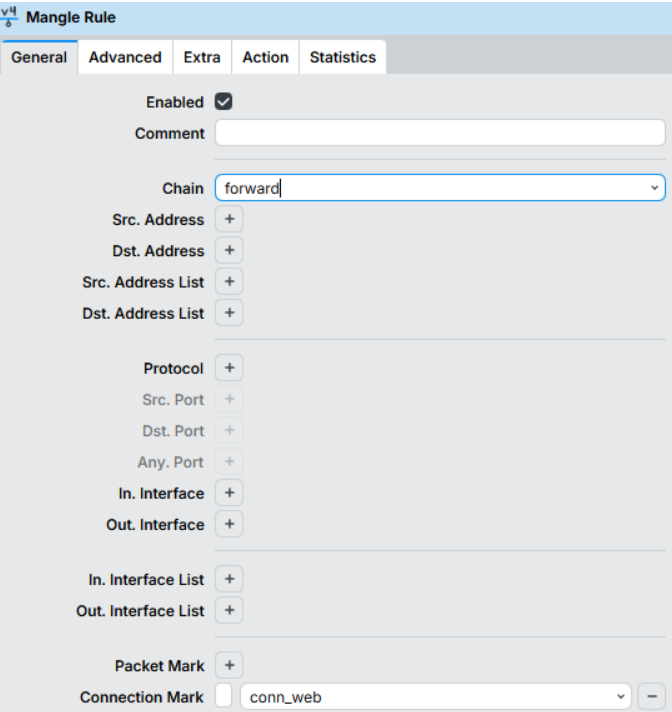
Chain: forward | Connection Mark: conn_web
Action: mark-packet | New Packet Mark: pk_web | Passthrough: No.
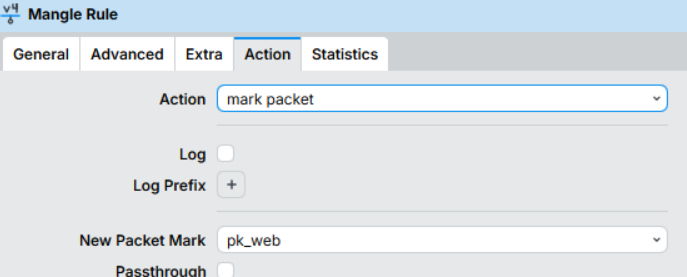
2.2. Dán nhãn các lưu lượng còn lại
1. Mark Connection:
Chain: forward | Connection Mark: no-mark
Action: mark-connection | New Connection Mark: conn_OTHER | Passthrough: Yes.
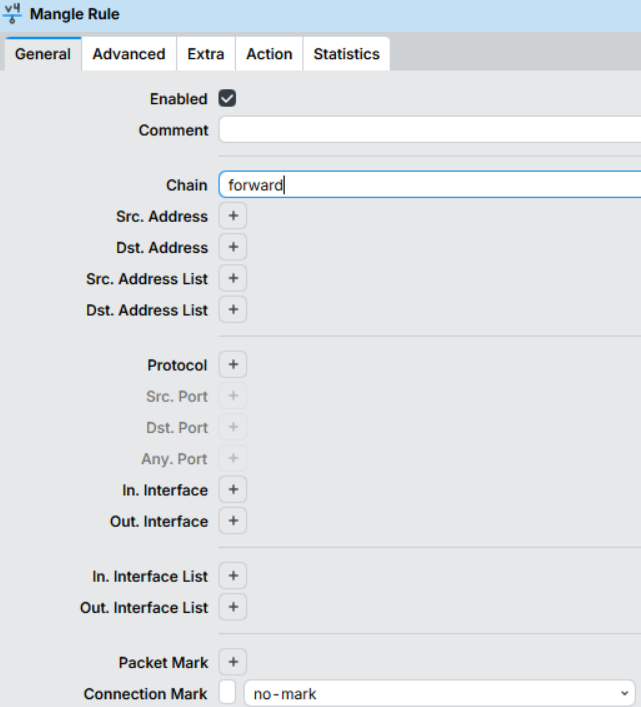
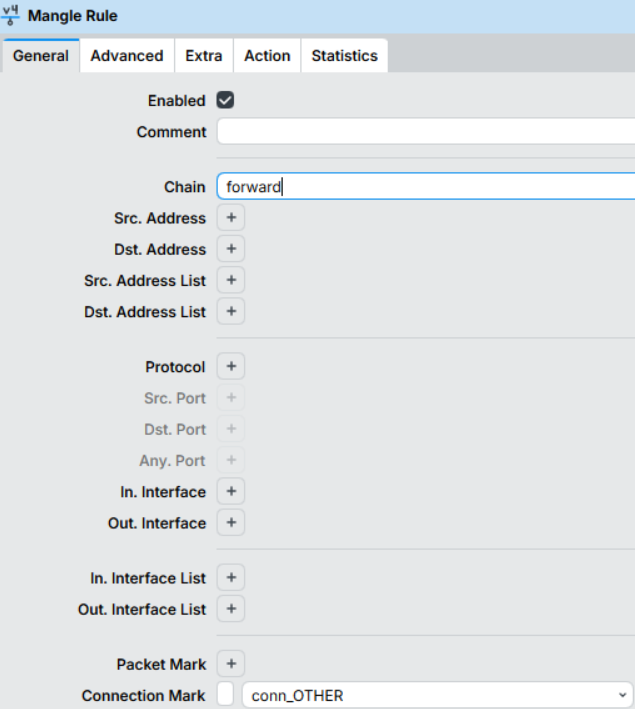
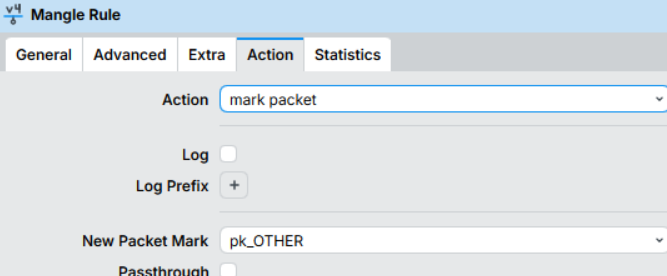
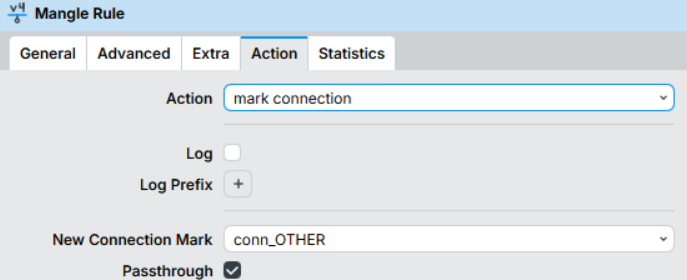 2. Mark Packet:
Chain: forward | Connection Mark: conn_OTHER
Action: mark-packet | New Packet Mark: pk_OTHER | Passthrough: No.
/ip firewall mangle
add action=mark-connection chain=forward dst-address-list=Web_Uu_Tien \
new-connection-mark=conn_web
add action=mark-packet chain=forward connection-mark=conn_web \
new-packet-mark=pk_web passthrough=no
add action=mark-connection chain=forward connection-mark=no-mark \
new-connection-mark=conn_OTHER
add action=mark-packet chain=forward connection-mark=conn_OTHER \
new-packet-mark=pk_OTHER passthrough=no
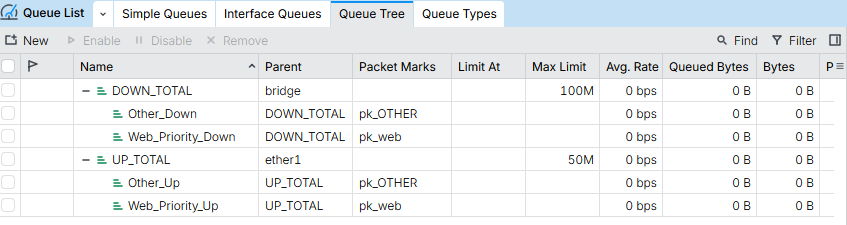
3.1. Cây Download (Quản lý dữ liệu về máy người dùng)
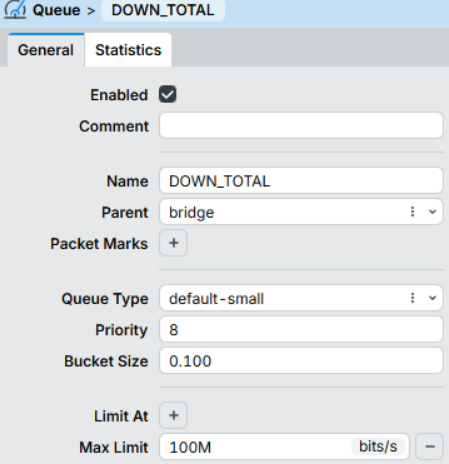
3.1.1 Parent tổng: Name: DOWN_TOTAL, Parent: bridge, Max Limit: 100M.
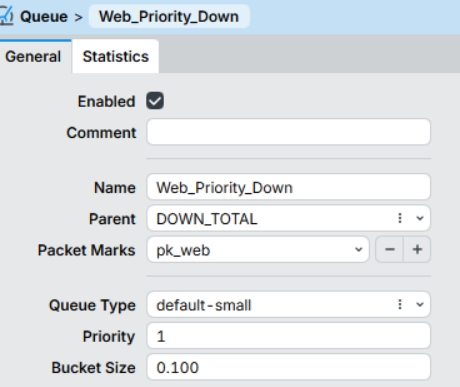
3.1.2. Child Web ưu tiên: Name: Web_Priority_Down, Parent: DOWN_TOTAL, Packet Mark: pk_web, Priority: 1.
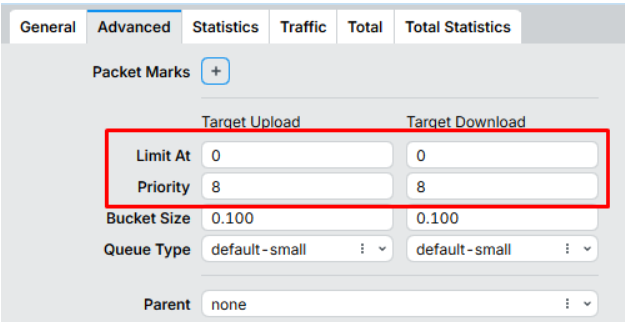
 3.1.3. Child Other: Name: Other_Down, Parent: DOWN_TOTAL, Packet Mark: pk_OTHER, Priority: 8, Queue Type: default-small
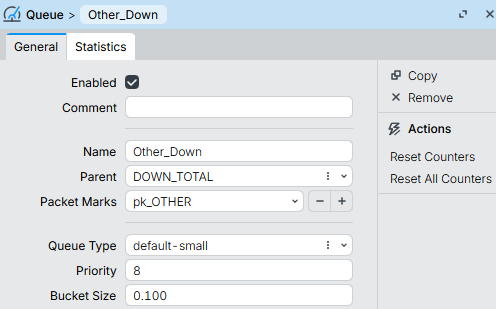 /queue tree
add max-limit=100M name=DOWN_TOTAL parent=bridge
add name=Web_Priority_Down packet-mark=pk_web parent=DOWN_TOTAL priority=1
add name=Other_Down packet-mark=pk_OTHER parent=DOWN_TOTAL
3.2. Cây Upload (Quản lý dữ liệu gửi lên Internet)
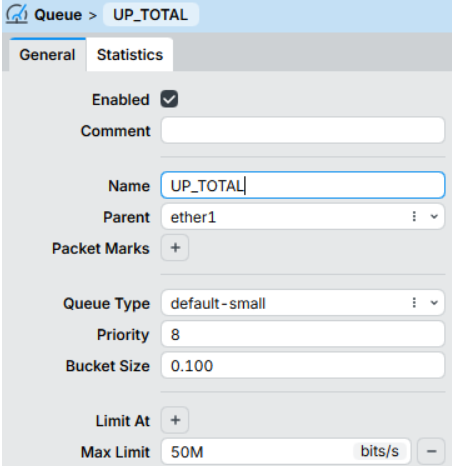
3.2.1 Parent tổng: Name: UP_TOTAL, Parent: ether1 (hoặc interface WAN của bạn), Max Limit: 50M
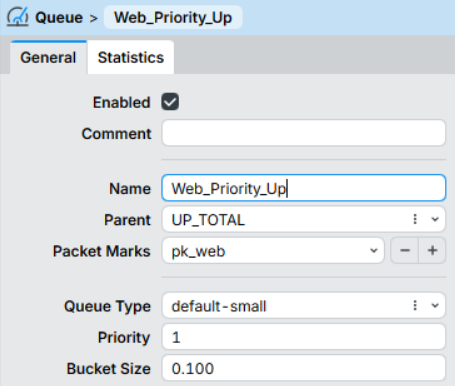
3.2.2 Child Web ưu tiên: Name: Web_Priority_Up, Parent: UP_TOTAL, Packet Mark: pk_web, Priority: 1
3.2.3 Child Other: Name: Other_Up, Parent: UP_TOTAL, Packet Mark: pk_OTHER, Priority: 8, Queue Type: default-small
/queue tree
add max-limit=50M name=UP_TOTAL parent=ether1
add name=Web_Priority_Up packet-mark=pk_web parent=UP_TOTAL priority=1
add name=Other_Up packet-mark=pk_OTHER parent=UP_TOTAL
Tin mới nhất
BÀI VIẾT nổi bật
ĐỐI TÁC CỦA CHÚNG TÔI
© 2022 - Bản quyền của Công Ty Cổ Phần Đầu Tư Thương Mại H2K Việt Nam
Giấy CNDKKD số 0102917980 do Sở KH&ĐT TP.Hà Nội cấp ngày 19/09/2008. Địa chỉ: Số 32B ngõ 315 Nguyễn Khang, Phường Cầu Giấy, Thành phố Hà Nội, Việt Nam
ĐT: 024.666.24888 - Email: [email protected]
Công ty TNHH Thương Mại Công Nghệ Trung Anh
Giấy CNĐKKD số 0312364179 do Sở KH&ĐT TP.HCM cấp ngày 10/07/2013. Địa chỉ: 74/1/12 Bạch Đằng, Phường Tân Sơn Hòa, Thành Phố Hồ Chí Minh, Việt Nam
ĐT: 028.665.24888 - Email: [email protected]